
Reviews
The Web Piano Music Game offers a clean, intuitive interface with realistic piano sounds. It is ideal for beginners and experienced players alike, providing a stress-free environment for creativity and practice. The game works seamlessly on both desktop and mobile devices, making it accessible anytime. Its focus on free play without scores or timers sets it apart as a truly relaxing musical tool.
Description
Game Introduction
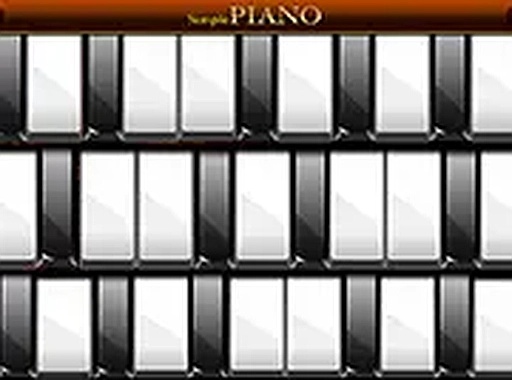
The Web Piano Music Game is a browser-based piano simulator designed for pure musical enjoyment. It offers a digital keyboard with realistic piano sounds, allowing you to play any song or create your own melodies without scores, timers, or complicated rules. The focus is on the simple pleasure of making music, making it ideal for beginners learning notes, experienced players practicing, or anyone seeking a calming, creative activity. The interface is clean and responsive, working on both mobile and desktop devices. This game emphasizes free expression and relaxation, providing a space where you can explore music at your own pace. There are no goals to achieve or levels to complete, only the joy of playing. Whether you want to learn a new skill, unwind after a busy day, or simply enjoy the sound of a piano, this simulator offers a straightforward and accessible experience. The realistic sound quality and intuitive controls make it easy for anyone to start making music immediately. The game is completely free and requires no registration or downloads, so you can begin playing right away.
How to Play
To play the Web Piano Music Game, simply open it in your web browser. You will see a row of piano keys displayed on the screen. You can click on any key with your mouse or tap on it with your finger if you are using a touchscreen device. Each key produces a distinct piano note with a realistic sound. You can press multiple keys at once to play chords. There is no right or wrong way to play—you can experiment with different sequences to create melodies. Play familiar tunes or invent your own music. The game does not track progress or give feedback, so you are free to explore at your own pace. This makes it a great tool for both learning and relaxation.
Game Features
The Web Piano Music Game offers realistic piano sounds sampled from acoustic instruments. It requires no downloads or installations, working instantly in any modern browser. The interface is simple and easy to navigate, suitable for young children and adults alike. It works on both desktop computers and mobile devices with touch support. The game is completely free to play with no hidden costs or ads that interrupt the experience. You can start and stop anytime without losing your place. This combination of accessibility, quality, and freedom makes it a versatile tool for music education and personal enjoyment.
Tips for Success
To get the most out of the Web Piano Music Game, practice regularly to improve your finger coordination and familiarity with the keyboard. Start by playing simple scales or familiar tunes to build confidence. Experiment with different note combinations to discover new melodies. Use the game as a tool for relaxation—focus on the sound rather than perfection. If you are a beginner, try learning the notes on the keyboard by playing simple songs you already know.





Comments
Sign in to comment
You must be logged in before posting a review or rating.
No account? Create one
No comments yet. Be the first to comment!