Bus Driving Simulator 3D
Reviews
💡Bus Driving Simulator 3D delivers a calm but engaging driving experience. The realistic physics make navigating icy roads and city traffic feel authentic. The ability to unlock new buses and switch camera angles adds variety. It is a solid free browser game for anyone who enjoys simulation.
Description
Game Introduction
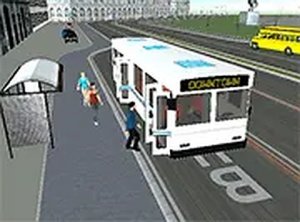
Bus Driving Simulator 3D places you in the driver's seat of a bus, offering a realistic simulation of navigating various environments. The core objective is to drive safely, follow designated routes, and manage traffic conditions. This game stands out by combining the calm, methodical nature of bus driving with the challenge of diverse road scenarios, from icy highways to busy city streets. It provides an accessible, free-to-play experience for anyone interested in simulation games. The game is designed to be played directly in a web browser, making it easy to start a session without any downloads or installations. Players can expect a focus on precision and awareness as they guide their bus through different settings.
How to Play
Players typically control the bus using keyboard inputs to steer, accelerate, and brake. The game may include multiple camera angles, such as first-person and third-person views, allowing you to choose the perspective that best suits your driving style. Following on-screen route markers and obeying traffic rules is essential to complete each driving scenario. As you progress, you can earn rewards to unlock new buses and take on more challenging routes. The game is designed for desktop play and supports full screen mode for an immersive experience. The controls are straightforward, focusing on the fundamentals of driving a large vehicle.
Game Features
This game features realistic driving physics that simulate the feel of operating a large vehicle. It includes a variety of environments, such as snowy roads and crowded highways, each presenting unique challenges like light traffic on icy roads or heavy congestion in the city. A bus purchasing system allows you to upgrade your vehicle, unlocking new experiences and improving your driving skills. Multiple camera angles, including first-person and third-person views, are available to enhance gameplay. The game runs smoothly in a browser and is free to play, making it accessible to a wide audience.
Tips for Success
To succeed, practice smooth acceleration and braking to maintain control, especially on slippery surfaces. Use the different camera angles to find the view that gives you the best awareness of your surroundings. Pay close attention to route markers and traffic signs to avoid penalties. Managing your speed in heavy traffic or on icy roads is crucial for safe driving. Regularly upgrading your bus can make handling easier and open up more challenging routes. Finally, take short breaks to maintain focus during longer sessions.
Compatibility
Faq
Is Bus Driving Simulator 3D free to play?
What types of buses can I unlock in the game?
Does the game work on mobile devices?
Are there different weather conditions in the game?
Can I change the camera view while driving?
What happens if I break traffic rules in the game?
Similar Titles

Sprint Club Arcade Racing

Creature Growth Arcade

Monster Truck Trail Driving Adventure
Hill Car Driving 3D
Pizza Delivery Driver Arcade

Cargo Delivery Driving Challenge

Pizza Delivery Driving Quest