Fulmosago Space Shooting Arcade
Reviews
💡Fulmosago delivers a clean arcade shooting experience. The auto-fire system reduces button mashing, letting you focus on movement and collecting upgrades. Power-ups like double cannons and guided orbs keep each run fresh. The game runs smoothly on mobile and desktop. Its straightforward design makes it easy to replay and improve your score.
Description
Game Introduction
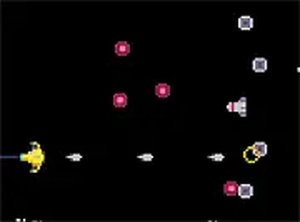
Fulmosago Space Shooting Arcade Game is a classic arcade-style shooter that puts you in control of a bright yellow spacecraft on a mission across the universe. The core objective is to reach a small, well-guarded planet while fighting through waves of enemies. This game blends fast action with simple mechanics, making it a great choice for quick gaming sessions. Its auto-fire system keeps the action constant, while power-ups add variety to the gameplay.
How to Play
In Fulmosago, your ship automatically fires at targets when enemies appear, allowing you to focus on dodging and collecting helpful items. For manual control, you can hold the C key to force shooting, or hold the X key to stop auto-shooting. Use the arrow keys or touch controls to move your ship. The game works on desktop and mobile devices, and you can switch to full-screen mode for a more immersive experience.
Game Features
Fulmosago offers a straightforward arcade experience with no complicated rules. Key features include an auto-shooting system for fast-paced action, manual override with C and X keys for precise control, and three types of power-ups: pink pickups that restore health or add an extra heart, orange pickups that give you double front cannons for more firepower, and blue pickups that activate side cannons firing auto-guided orbs. The game supports full-screen mode and works on both desktop and mobile browsers with no downloads or installations required.
Tips for Success
To succeed in Fulmosago, focus on dodging enemy fire while collecting power-ups. Prioritize pink health pickups to maintain your hearts, and grab orange and blue pickups to increase your firepower. Use the manual override keys (C to force shooting, X to stop auto-shooting) when you need precise control. Practice moving efficiently to avoid taking damage, and learn enemy patterns to anticipate their attacks. Regular play will help improve your reflexes and survival time.
Compatibility
Faq
Can I play Fulmosago on my mobile device?
Does Fulmosago have a scoring system?
How do I activate full-screen mode in Fulmosago?
What happens when I collect all three power-up types in Fulmosago?
Is there a way to pause the game in Fulmosago?
Does Fulmosago have different difficulty levels?
Similar Titles

Halloween Jump Arcade Runner

Rotated Cups Puzzle Game

Candy Burst Match 3 Puzzle
Wizard Jewels Match 3 Puzzle

Fruit Slasher Arcade Game
Bubble Shooter Marbles Puzzle

Flying Saucer Arcade Game